
San Diego Institute of Technology

SDIT Tools · Gloss · Language & Context

Understand any word, where you found it.

Select a word — or a whole paragraph — anywhere on your iPhone, tap Gloss, and get a clear explanation: what it means, what it means in the passage you are reading, how it is used, and where it comes from.

A dictionary that has read the whole paragraph.

Definitions tell you what a word can mean. Gloss tells you what it means right here, in the sentence in front of you.

It works wherever you read: select text in Safari, Books, Mail, or any app and share it to Gloss. Share a whole paragraph and every word in it becomes tappable — pick the one that stopped you, and the passage rides along as context. Ask follow-up questions to go deeper, and every lookup lands in a log you can flip back through later. Each device gets a free daily allowance; there is nothing to sign up for and no key to manage.
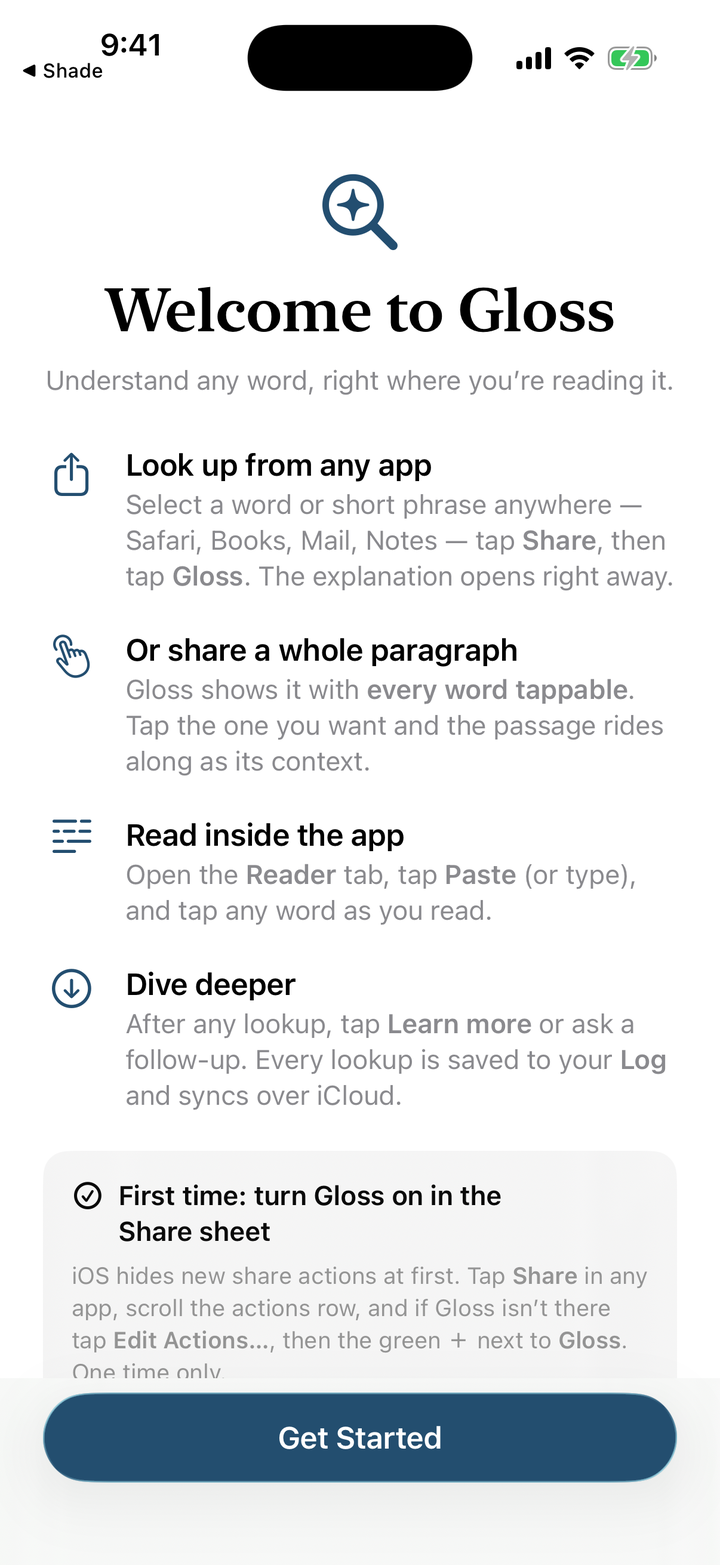
Gloss welcome screen — look up from any app, share a whole paragraph, read inside the app, dive deeper
Under the hood SwiftUI · Explanations written by Claude via a small proxy that keeps the API key out of the app

Words are the instruments of thought.

A person who skips the words they do not know learns to skim. A person who stops and asks learns to read — and reading is where breadth begins.

Gloss is the Institute's answer to a question we care about: what does AI look like when it deepens a mind instead of replacing it? Here the machine does not read for you. It removes the friction from the oldest habit of serious readers — stopping at the unknown word — so that curiosity costs five seconds instead of a broken concentration. The understanding it hands you is a beginning, not a substitute: the passage is still yours to read.

Source MIT License · Build it yourself at github.com/sandiegotech/Gloss
Status In testing · Not yet on the App Store · TestFlight invites by request — write to test it